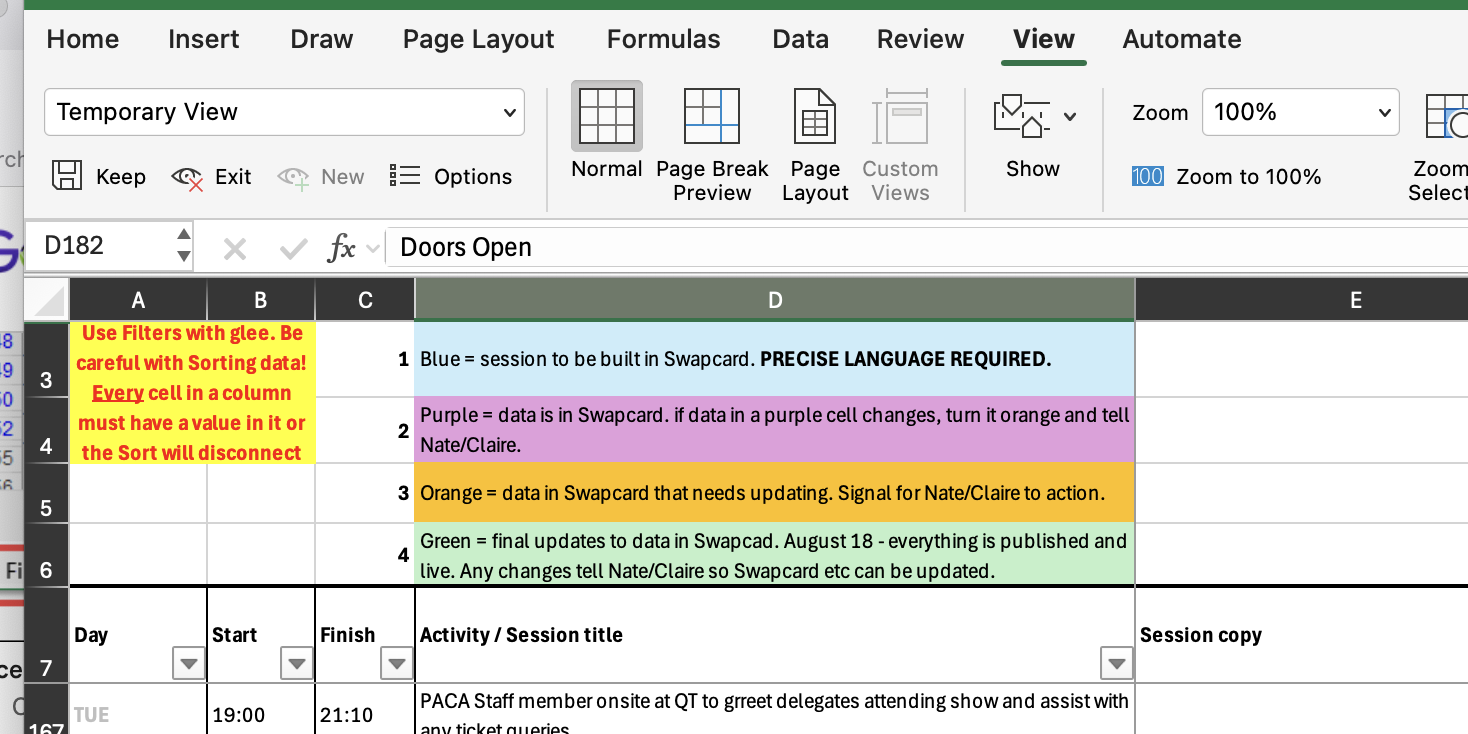
Hi all Numerous team members have mentioned experiencing issues with OneDrive not saving/syncing changes they’ve made to documents and frustrations around needing to repeat work already done. Please take a minute to read the below as we come into a peak productivity period where we are all neck-deep in many tasks. If it happens to you please check: * is your operating system up to date? If not, update it. * are your Microsoft apps up to date? If not, update them. * is your internet connection stable? If not, try hotspotting. * if you’re working out of your local files on your computer and the desktop apps (Excel, Word), is your OneDrive logged in and syncing? You can check this in your toolbar. You might need to log out and back in. * when was the last time you closed the document? Please don’t leave it open in the background for days. Close it and reopen it as needed. * when was the last time you closed the app? Close it and reopen it as needed. I know some of this feels very “surely these systems are built to handle me doing XYZ” but nope, they are not. Issues generally occur when working with large amounts of data in documents/spreadsheets that multiple people are also working in. OneDrive runs various background tasks to sync your changes and can fail certain steps in the chain for a few reasons, breaking the sync without telling you. Stupid? Yes. But true. Other tips: * we do prefer using desktop apps for a few reasons, but you should find working out of your browser, as opposed to Word/Excel, to be much more reliable. The fault is in OneDrive’s delicate sync capabilities between your laptop’s local file storage and The Cloud. * in Excel, be mindful of filters and ‘Views’. If the row and column headers (A B C D / 1 2 3 4) have turned black, you’re in a filtered view, because you’re using a filter or sort function in the sheet to look at something. If multiple people have the sheet open and are working in it, it’s known to freak out and have trouble consolidating the changes you made in your View with everyone else’s. It can be safer to make bulk changes when not in View Mode. * Click the View menu, then to the left the eye/red cross ‘Exit’, and when prompted ‘Don’t save’. [Screenshot 2026-07-16 at 16.56.17.png] Onwards and upwards. Nate Nate Newell (he/him) Operations Manager | PAC Australia | (08) 9221 8992 | paca.org.au<https://paca.org.au/> Boorloo / Perth GMT+8 [Image]<https://apax.org.au/> I gratefully acknowledge the Whadjuk people of the Noongar nation, on whose lands I live and work, and pay my respects to Elders past and present. I’m sending this email at a time convenient to me. I don’t expect you to read, action or reply to it outside of your working hours.