
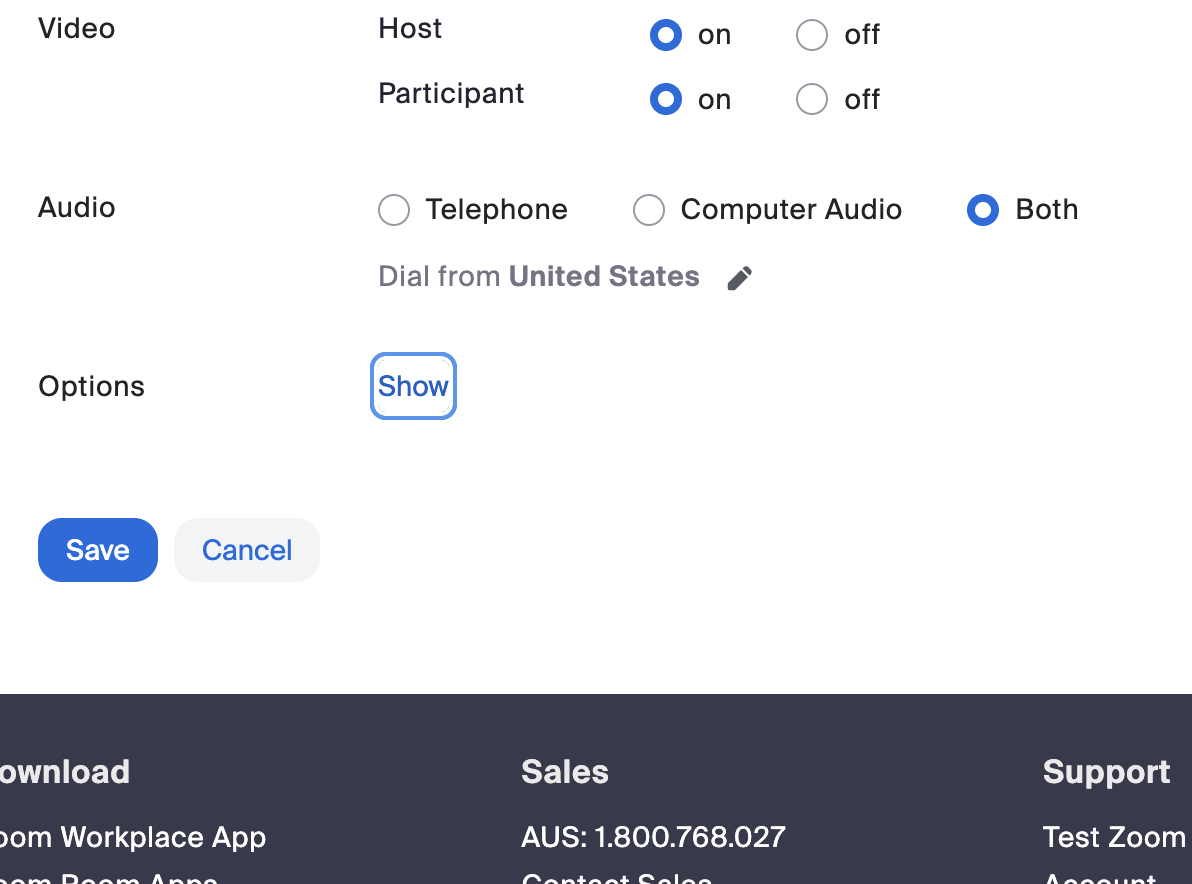
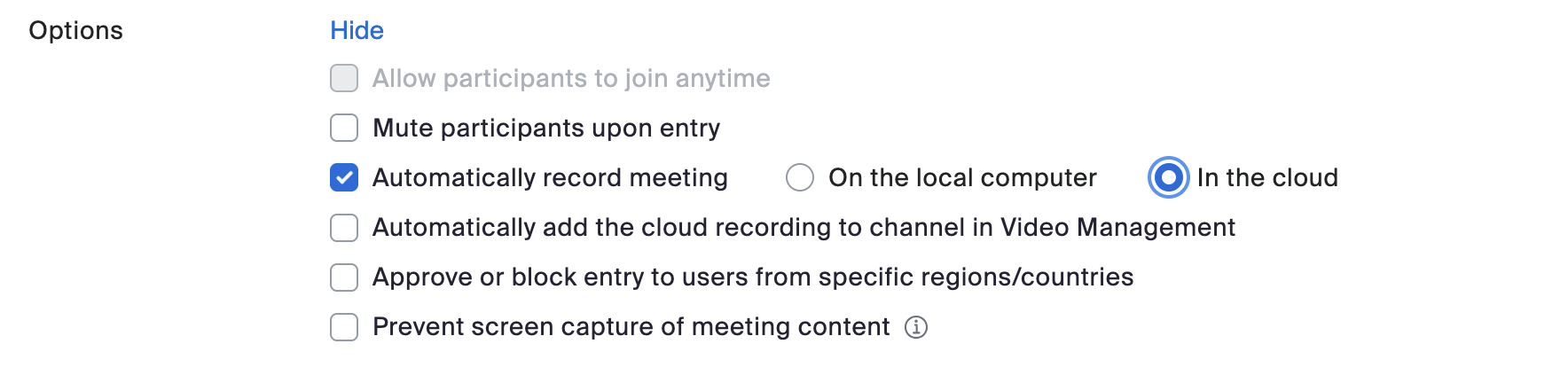
Hi all This has come up a few times and wanted to make us aware as it is such an easy adjustment and saves a lot of potential hassle. For anyone who ever sets up a Zoom Meeting link for any reason, set the meeting to automatically record to the cloud. This will work for any Meeting at all regardless of purpose or duration eg Groundwork, training programs. Recording will start as soon as you start the meeting (and tell you, “recording in progress”, like normal). Nobody will need to remember to record. You could pause it and restart if you wanted eg during a pre-session tech chat, but remember we can always trim recordings ourselves before we share them. You can also set to mute participants upon entry. This avoids anyone forgetting to do it and having weird background noise interrupt speakers. Settings are in the main window when you set up a meeting, under “Options”. Tick the relevant boxes and hit save. [Screenshot 2026-09-17 at 09.35.57.png] [Screenshot 2026-09-17 at 09.36.14.png] Thanks Nate Nate Newell (he/him) Operations Manager | PAC Australia | (08) 9221 8992 | paca.org.au<https://paca.org.au/> Boorloo / Perth GMT+8 [Image]<https://apax.org.au/> I gratefully acknowledge the Whadjuk people of the Noongar nation, on whose lands I live and work, and pay my respects to Elders past and present. I’m sending this email at a time convenient to me. I don’t expect you to read, action or reply to it outside of your working hours.

participants (1)
-
 Nate Newell